SEO: What Are the Best Tools Available?
Posted on October 21, 2025 • 7 min read • 1,461 wordsA technical checklist of essential tools to assess and improve your SEO — covering performance, SERP visibility, indexing, content, accessibility, and security.

I. Recommended Tools: Technical Checklist
This list focuses on reliable, actively maintained tools that are widely used by SEO and product teams.
For each category, you’ll find its main purpose, what it measures, and when to use it.
1. Test Page Speed and Core Web Vitals
PageSpeed Insights:
Analyzes both real-user (field) and lab performance data, providing actionable recommendations.
Measures Core Web Vitals — INP, LCP, and CLS.
Use it to prioritize performance improvements on key pages (homepages, product pages, blog articles).Lighthouse:
Runs audits for Performance, Accessibility, SEO, and Best Practices.
Can be run via Chrome DevTools, CLI, or through PSI API.
Ideal for integration into CI pipelines to enforce performance budgets per pull request.WebPageTest:
Provides detailed load tests across browsers, locations, and connection types.
Offers advanced network metrics, waterfalls, and Web Vitals data — perfect for comparing CDN setups or build versions.
Note: results may take some time to generate.
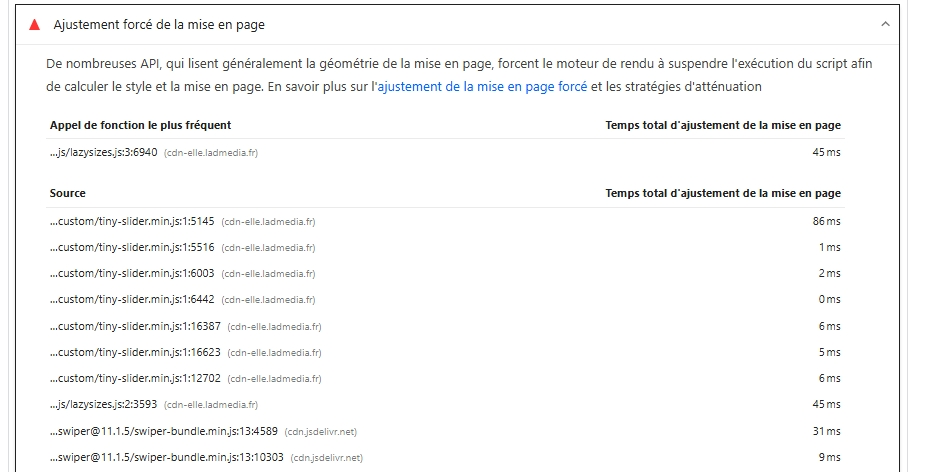
Example of performance analysis and recommendations with PageSpeed Insights
2. Explore and Analyze the SERP
Ahrefs:
Keyword research, SERP and competition analysis, backlink metrics (Domain Rating, referring domains), and SERP checker.
Use it to estimate keyword difficulty and evaluate the backlink profiles of top-ranking pages.SEMrush:
Daily Position Tracking, competitive analysis, and SERP feature monitoring (including AI Overviews).
Multi-country and multi-device tracking, with exportable reports.Majestic:
A specialist tool for assessing link quality.
It provides two unique indicators:- Trust Flow → measures the trustworthiness of sites linking to you (based on authoritative sources).
- Citation Flow → measures the total volume of backlinks.
Together, they help evaluate your backlink profile and detect potentially manipulative link patterns.
➜ Perfect for auditing link quality or comparing domains before partnerships.
Ubersuggest:
Simple and intuitive keyword and content idea generator with rank tracking.
A good alternative for smaller websites; includes a Chrome extension.
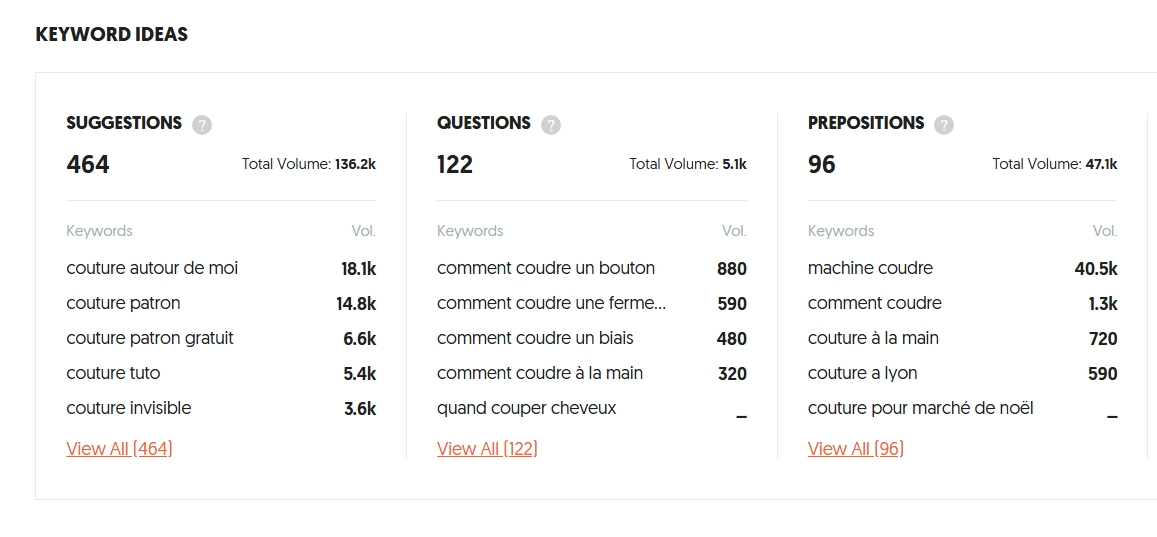
Example of keyword analysis with Ubersuggest
3. Monitoring and Indexing
- Google Search Console:
Submit your sitemap, monitor indexing coverage, fix errors, and track SEO performance. - Bing Webmaster Tools:
Equivalent for Bing — useful for diversifying your traffic sources and monitoring visibility outside Google.
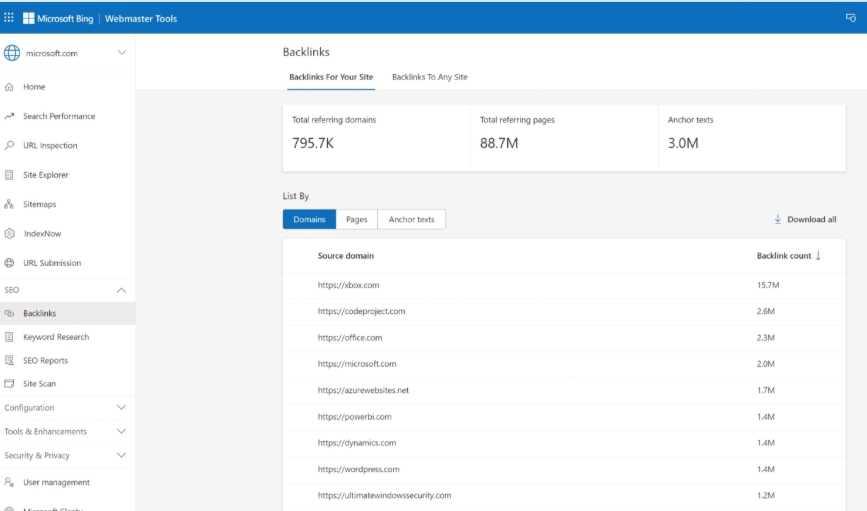
Example of backlink analysis with Webmaster Tools
4. Technical SEO Audits
Screaming Frog SEO Spider:
A site crawler that detects technical issues (tags, broken links, redirects, duplicate content, structured data, etc.).
Free version (up to 500 URLs), with an annual paid license.
Data-heavy interface — ideal for advanced SEO audits and CSV exports.Sitebulb:
Designed for visual SEO reporting.
Offers structured data validation (Google/Schema.org), visual graphs, prioritization, and clear scoring.
Ideal for presenting findings to clients or teams.
5. Content and Semantic Analysis
Surfer SEO:
Provides semantic recommendations based on top-ranking pages.
Combines statistical models (TF-IDF), semantic embeddings, and SERP competitor analysis to suggest the most relevant keywords and phrases.Frase.io:
Creates SEO briefs and optimizes content aligned with search intent — helps identify relevant topics and common user questions.
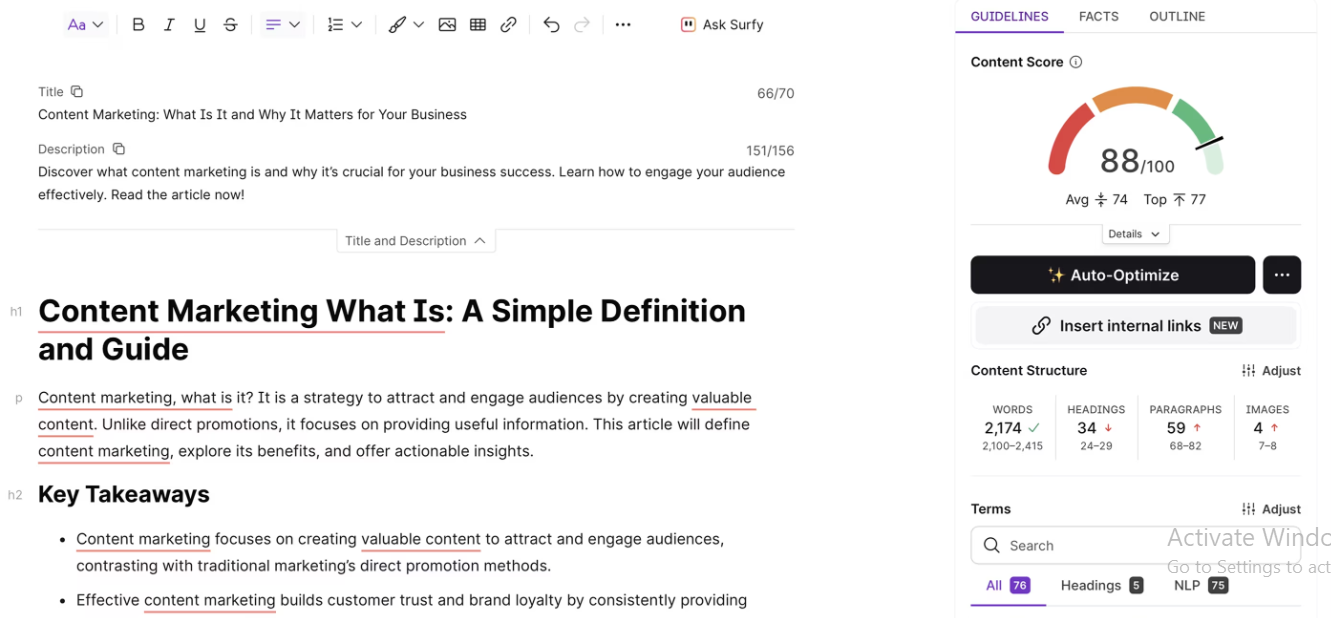
Example of page analysis with Surfer SEO
Pro tip: Combine a SERP tool (Ahrefs/Semrush) to define intent with a semantic tool (Surfer/Frase) for in-depth optimization.
6. Accessibility and Security Checks
- W3C Validator:
Validates HTML and CSS code; helps catch errors that affect accessibility and user experience. - SSL Labs:
Public SSL/TLS configuration audit — checks certificates, ciphers, and HSTS settings, with detailed security grades.
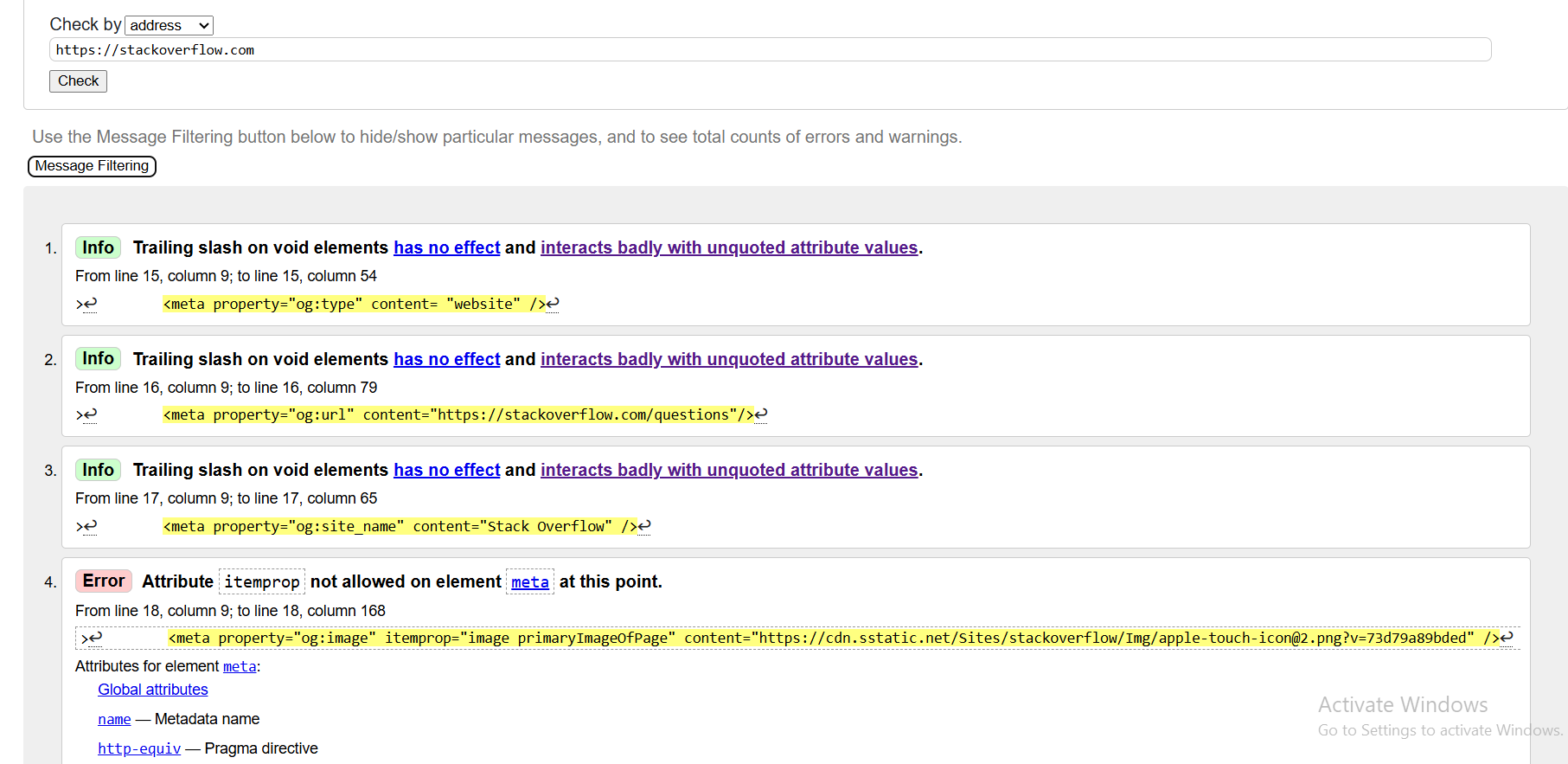
Example of URL validation using W3C Validator
Developer tip: Integrate some of these tools into your CI/CD workflow or pre-production tests to automatically verify performance and accessibility before each deployment.
7. Official Standards & Reference Resources
Google Search Central:
Official documentation for sitemaps, robots.txt, structured data, and Core Web Vitals.
Includes the guide “Build & submit a sitemap.”Schema.org:
The standard markup vocabulary for rich results (Article, FAQ, Product, Event…).
Validate your markup using the Rich Results Test.Google Trends:
Compare keyword popularity by region and over time (useful for seasonality and emerging trends).AnswerThePublic:
Reveals real user questions and phrasing — perfect for enriching your FAQ or “People Also Ask” sections.
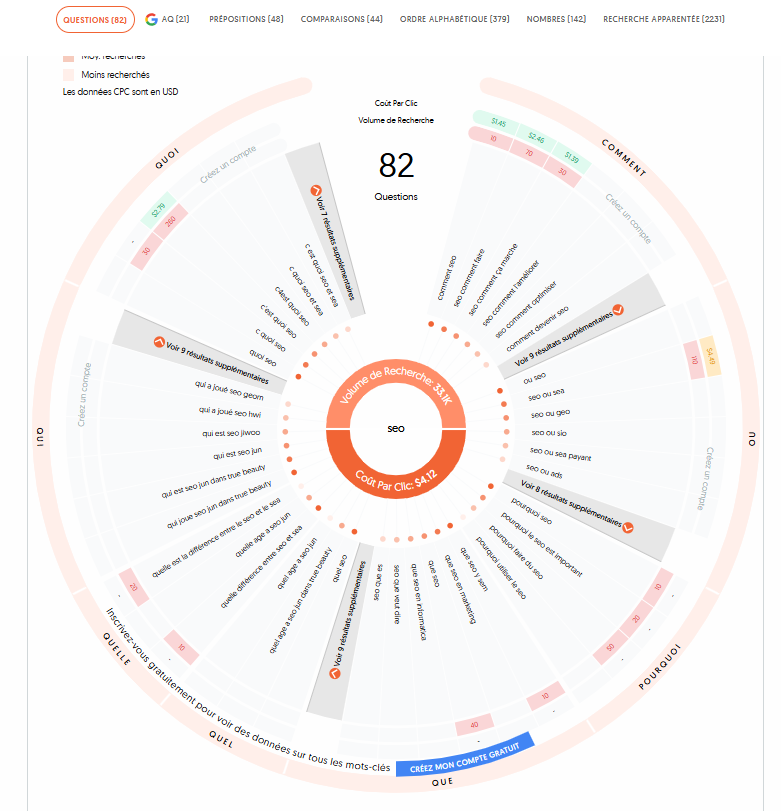
Example of keyword research visualization with AnswerThePublic
II. Usage Recommendations (for Developers)
- CI/CD: Run Lighthouse in headless mode on every pull request, and fail builds if performance budgets (LCP/INP/CLS) are exceeded.
- Pre-production: Use WebPageTest to compare CDN performance, image optimizations, and network setups before going live.
- Monthly: Run Screaming Frog/Sitebulb for recurring technical audits; monitor coverage and Core Web Vitals via GSC; track SERP and backlinks through Semrush/Ahrefs.
III. Implementation Notes
Core Web Vitals:
Google evaluates user experience through three key indicators:- LCP (Largest Contentful Paint) → loading speed of the main content.
- CLS (Cumulative Layout Shift) → visual stability during loading.
- INP (Interaction to Next Paint) → responsiveness to user interactions (replacing FID since 2024).
The goal is for 75% of real users to experience a “good” score across all three metrics, based on Chrome’s field data.
Sitemap Submission:
A sitemap acts as a map of your website, helping Google discover all important pages.
You can:- Submit it directly in the Sitemaps report of Google Search Console,
- or simply declare it in your
robots.txtfile using:Sitemap: https://yourwebsite.com/sitemap.xml
Authority Metrics (Ahrefs / Majestic):
Tools like Ahrefs (Domain Rating) and Majestic (Trust Flow, Citation Flow) provide comparative domain authority metrics.
These are not official Google ranking factors, but they help you:- Measure a site’s popularity and trustworthiness.
- Track your backlink profile’s growth and quality.
- Benchmark your site against competitors.
Use these as trend indicators, not absolute truths.
IV. Quick SEO FAQ
What’s the best tool to start with if I can only use one?
→ PageSpeed Insights gives you an overview of your site’s performance and Core Web Vitals.
It provides clear, actionable recommendations to help you prioritize which pages to optimize first.
How can I track my rankings locally or internationally?
→ Use Semrush Position Tracking (multi-country, multi-device) or Ahrefs SERP views to assess keyword difficulty and identify top-ranking competitors.
Ubersuggest is also a simple option for smaller websites or beginners.
Which SEO crawler should I choose?
→ Screaming Frog if you prefer raw, exportable data and detailed CSV reports.
→ Sitebulb if you need visual, easy-to-understand reports for clients or internal teams.
How do I check if my pages are indexed properly?
→ Open the “Pages” section in
Google Search Console.
You’ll see which pages are indexed, excluded, or in error, and the reasons why (noindex, robots.txt, duplicate content, etc.).
How can I check the quality of my backlinks?
→ Combine Ahrefs and Majestic:
- Ahrefs gives you a global view (Domain Rating, referring domains, anchor texts).
- Majestic provides Trust Flow and Citation Flow, measuring link quality and quantity.
Avoid backlinks from irrelevant or low-authority sites.
Which tools should I use to improve my content?
→ Surfer SEO and Frase.io are great for optimizing your content semantically.
They suggest keywords, phrases, and user questions commonly found in top-ranking pages.
What’s the difference between Domain Authority and Trust Flow?
→ Domain Authority (Moz) and Domain Rating (Ahrefs) measure a website’s overall popularity.
→ Trust Flow (Majestic) measures the trustworthiness of a site based on reputable link sources.
These are proprietary metrics — useful for comparison, not official Google ranking factors.
Do I have to pay for all these tools?
→ Not necessarily. Many offer free or trial versions:
- Screaming Frog: free up to 500 URLs.
- Ahrefs Webmaster Tools: free for your verified website.
- Ubersuggest: free daily reports.
- PageSpeed Insights, Search Console, and Schema.org are 100% free.
How can I test my HTTPS and SSL certificates?
→ Use
SSL Labs Test to audit your SSL/TLS setup and check for HSTS compliance.
A site without HTTPS is marked as “Not Secure” in Chrome and may lose user trust — and rankings.
How do I submit my site to Google?
→ Create an account in Google Search Console, verify your site ownership, and submit your XML sitemap.
Google will automatically discover and index new pages over time.
Which tools can I use to validate structured data?
→ Try Rich Results Test or Schema Markup Validator.
They ensure your FAQ, Article, Product, or Event schema markup is valid and eligible for rich snippets in search results.
How can I check if my site is mobile-friendly?
→ Test it using Google’s
Mobile-Friendly Test.
Since mobile-first indexing, non-responsive sites risk lower rankings on mobile search.
How long does it take to see SEO results?
→ Typically between 2 to 6 months, depending on your competition and content frequency.
Technical improvements show results faster, while link-building and content growth take longer.
Do I need to install all these tools?
→ No. Start with 3 or 4 key tools covering the main SEO pillars:
- Performance → PageSpeed Insights / Lighthouse
- Content → Surfer SEO / Frase.io
- Monitoring → Search Console / Semrush
- Backlinks → Ahrefs / Majestic
Focus on consistent tracking rather than using too many tools at once.