3 Simple Ways to Save Up to 90% on EC2 Costs: Spot Instances
Posted on May 2, 2025 • 3 min read • 553 wordsLearn how to leverage AWS EC2 Spot Instances to cut costs by up to 90%, with three actionable strategies, use cases, and a comparison chart.

I. Introduction to Spot Instances
Amazon EC2 Spot Instances offer a powerful way to drastically reduce cloud computing costs. Designed to utilize unused Amazon EC2 capacity, these instances are available at a price up to 90% lower than On-Demand instances.
While these savings are appealing, Spot Instances are not suitable for all workloads. They are ideal for flexible, interruption-tolerant, or distributed jobs such as data processing, machine learning training, or performance testing.
In this article, we explore three practical strategies to take advantage of Spot Instances and maximize your savings.
II. Why Spot Instances Can Save You Up to 90%
Amazon EC2 dynamically adjusts Spot pricing based on supply and demand for unused capacity. This means pricing fluctuates, but is consistently lower than standard instances.
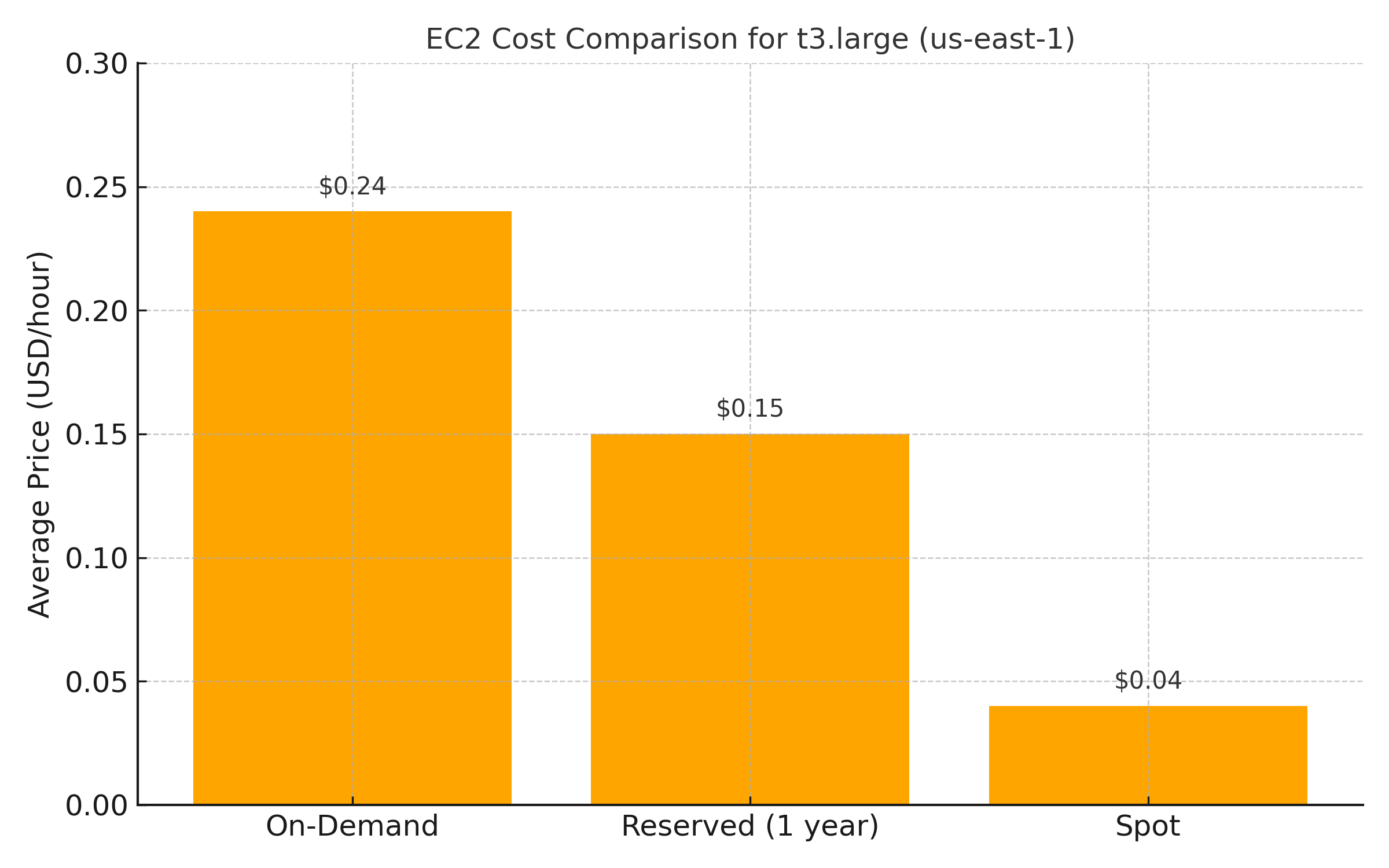
| Instance Type | Avg. Price (USD/hour) | Potential Savings |
|---|---|---|
| On-Demand | 0.24 | 0% |
| Reserved (1 year) | 0.15 | ~37% |
| Spot Instance | 0.03 – 0.05 | ~80 – 90% |
Example based on a t3.large instance in the us-east-1 region.
This pricing model enables companies to lower compute costs significantly while maintaining high processing power, provided their infrastructure is designed to tolerate interruptions.
III. Strategy 1: Replace Flexible Workloads with Spot Instances
Some workloads do not require constant or immediate execution. The following job types are well-suited for Spot:
- Batch processing: video rendering, simulations, format conversions.
- Data pipelines: transformation, aggregation, large-scale ingestion.
- CI/CD testing: automated test campaigns that are non-critical.
Use case: An AI startup migrated its data preprocessing (Spark jobs on EMR) to Spot Instances, reducing costs by 72% while still meeting internal SLAs.
Best practices:
- Use AWS Instance Termination Notices to detect interruptions (2-minute warning).
- Break jobs into restartable segments.
- Store intermediate results in S3 or a temporary database.
IV. Strategy 2: Use EC2 Auto Scaling with Spot Instances
EC2 Auto Scaling allows you to create dynamic instance groups that balance cost and availability. By mixing On-Demand and Spot Instances, you can ensure performance while reducing costs.
Recommended setup:
- Define a mixed allocation: e.g., 70% Spot / 30% On-Demand.
- Set instance type priorities.
- Enable automatic replacement of interrupted instances.
Use case: An e-commerce company runs a recommendation engine in the background. Outside peak hours, 80% of its machines are Spot Instances. During traffic spikes, the remaining 20% automatically switch to On-Demand.
V. Strategy 3: Optimize Costs with AWS Spot Fleet
Spot Fleet allows you to request compute capacity across multiple instance types and availability zones. AWS automatically chooses the best combination based on your criteria.
Key advantages:
- High resilience through diversification.
- Automatic selection of the lowest cost option.
- Priority across instance types based on your needs.
Example:
A machine learning project trains heavy GPU models. Using Spot Fleet, the team configures g4dn.xlarge and p3.2xlarge instances across multiple AZs. AWS intelligently distributes the workload based on availability and pricing.
Tips:
- Use the maintain option to ensure consistent capacity.
- Combine with checkpointing or recovery scripts.
Conclusion
Spot Instances are a powerful way to significantly reduce AWS compute costs without sacrificing performance, as long as workloads are appropriately designed. The key is to build resilient, elastic architectures that can tolerate interruptions while maximizing efficiency.
🔗 Useful Resource
To go further, visit the official Spot Instances documentation:
AWS EC2 Spot Instances – Official Page
You’ll find in-depth guides, tutorials, and best practices for a variety of workloads.